Black. Gray. White. Fast.
NEXUS OS is a Linux desktop with one strict rule: the interface is black, gray and white, and only the lines of your app icons get color. Under it runs the performance-tuned CachyOS kernel, a Task Manager that shows everything, and a ring of your apps one keypress away.
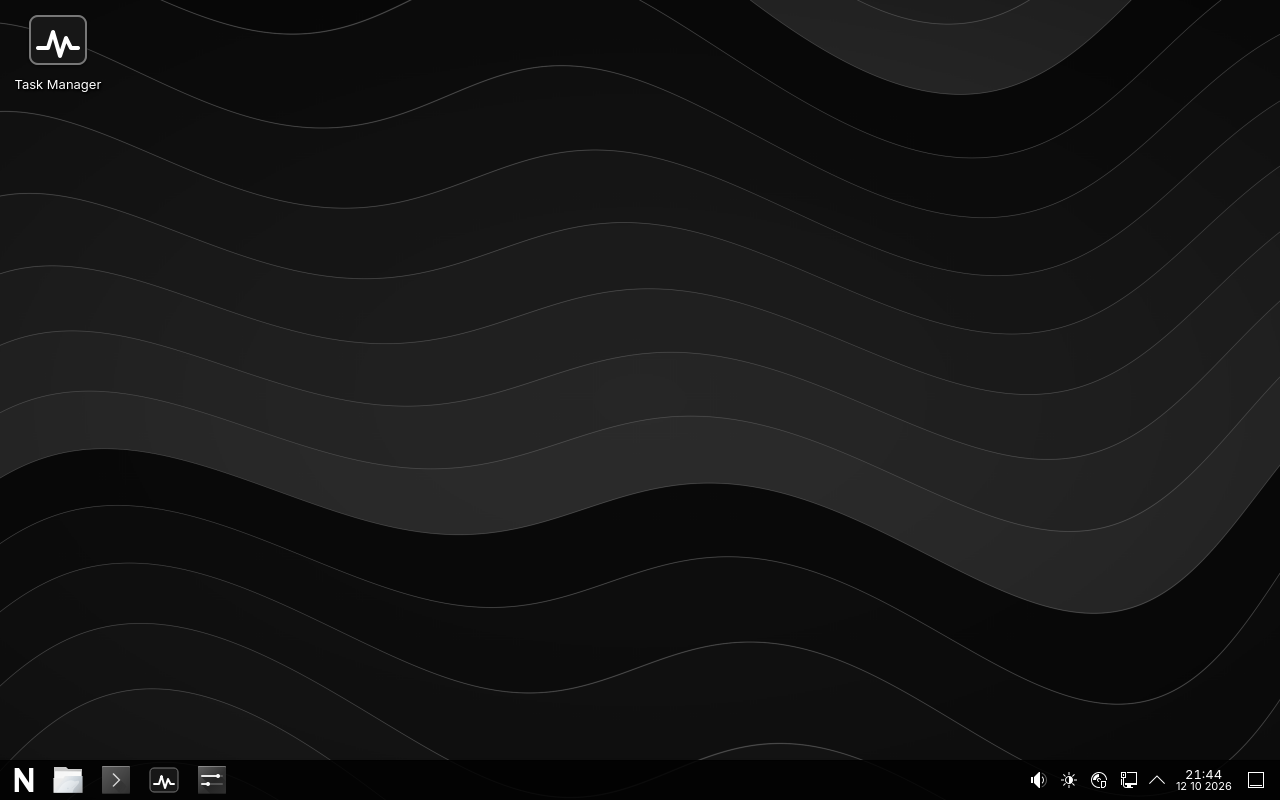
Real screenshot of the live system, taken automatically in a virtual machine by the build tests.
Why NEXUS
A calm desktop that gets out of the way
Monochrome, with colorful apps
Eight shades from pure black to pure white for every window, menu, graph and login screen. NEXUS app icons are the one splash of color: their outlines are drawn in each app's own color, so you find them at a glance. An automated test fails the build if color appears anywhere else.
CachyOS performance
The linux-cachyos kernel and CachyOS's tuned defaults, used as packages and kept up to date, with no random tweaks.
A real Task Manager
Apps, processes, process trees, per-core CPU, memory, disks, network, GPU, sensors and startup apps, all from live system data.
NEXUS Ring
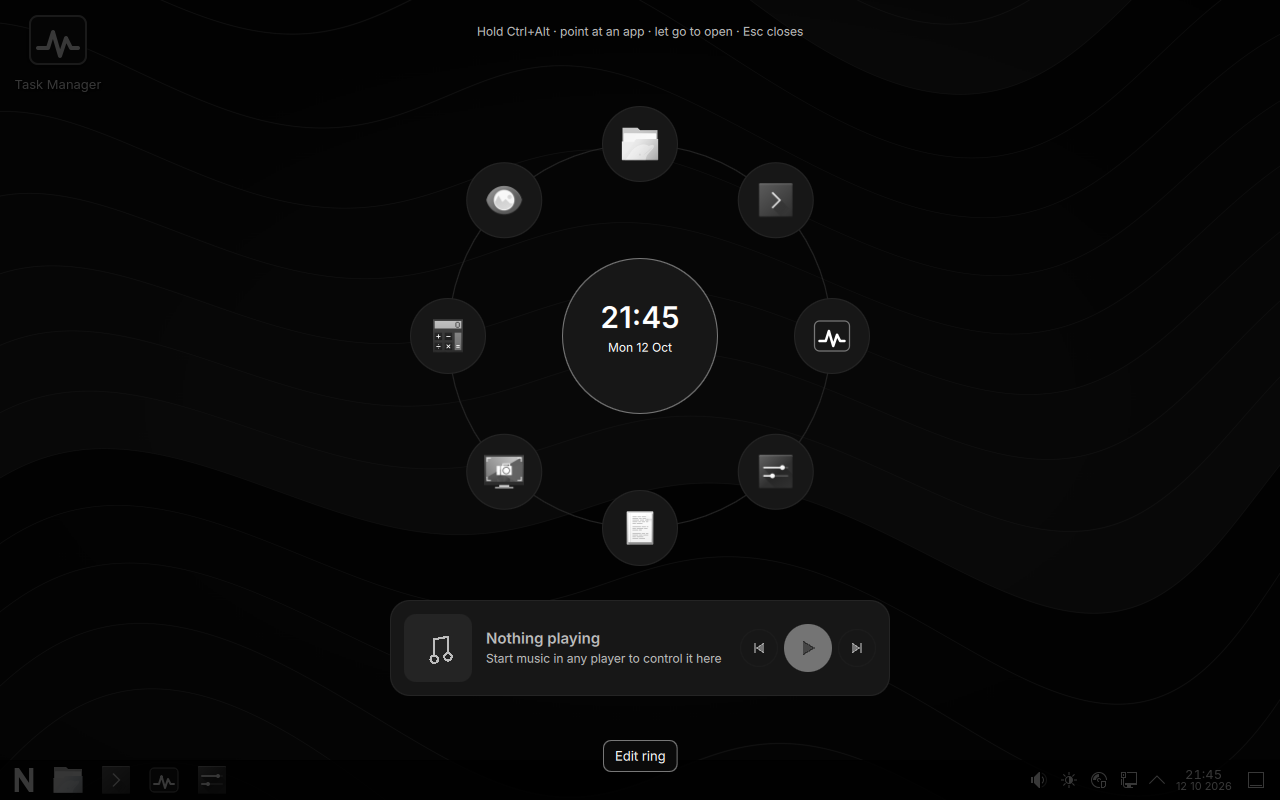
Hold Ctrl+Alt. Your favorite apps appear in a circle with a music bar underneath. Point and let go.
NEXUS Shield
Built-in antivirus. Blocks viruses, files named like hack tools and zip bombs as they download, and warns you when something connects to your computer remotely.
Private by design
No telemetry, no accounts, no background connections. Package signatures stay on. Admin actions ask for your password.
Try it safely
The live USB runs entirely from the stick. Your Windows install and disks are not touched.
NEXUS Ring
Your apps, one hold away
Hold Ctrl+Alt on its own and a ring of up to twelve apps you choose appears over everything. Point at one and let go to open it. The music bar in the middle controls whatever is playing.
- Add, remove and reorder apps in edit mode
- Works with any music player that supports MPRIS
- Ordinary Ctrl+Alt shortcuts still work
Task Manager
See everything your computer is doing
Grouped like Windows (apps, background processes, system services, kernel threads), or as a full process tree. Search, sort, choose columns, end tasks safely and change priorities. Every number comes straight from the kernel.
Task Manager features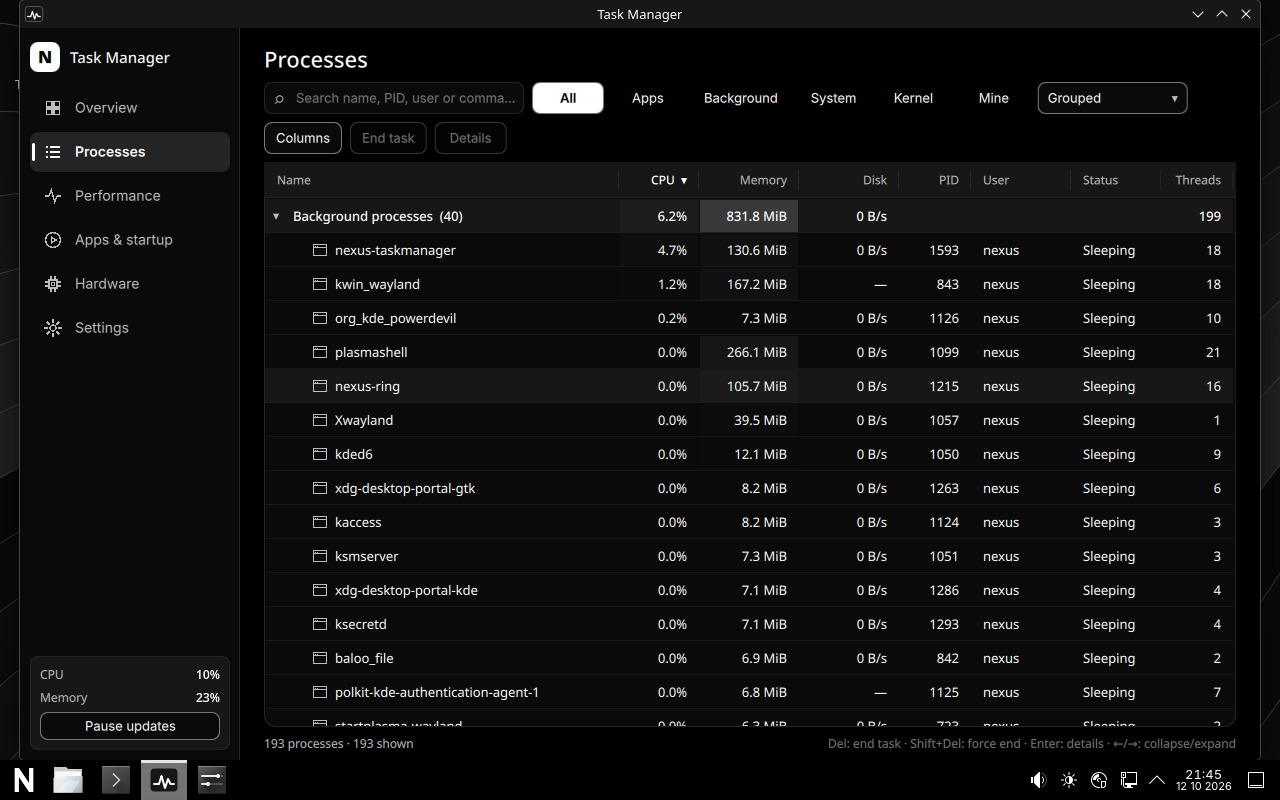
Measured, not promised
Numbers from the automated boot test
Every build is booted in a virtual machine (4 cores, 6 GB RAM, KVM) and measured. Real hardware will differ.
Install it next to Windows
NEXUS Setup makes room on your drive and starts the installer. No USB stick, and Windows stays.