Features
What's in NEXUS OS
Everything listed here is in the current preview and checked by automated tests. What isn't ready yet is listed at the bottom.
The NEXUS desktop
KDE Plasma 6 on Wayland, reshaped into the NEXUS identity rather than rewritten, so it keeps Plasma's maturity: snapping, virtual desktops, multiple monitors, fractional scaling and accessibility settings.
- Two built-in themes: NEXUS Black and NEXUS White
- Windows-style bottom taskbar: launcher, pinned apps, tray, clock with date, show-desktop
- NEXUS app icons with colored outlines; every other icon is monochrome, generated from Breeze
- Procedural contour and grid wallpapers in dark and light versions
- Matching login screen and lock screen
- Inter and JetBrains Mono fonts
NEXUS Task Manager
The flagship app. Written in C++ and Qt Quick, reading live data from the Linux kernel. Each full sample of the system takes about 8 ms.
Overview
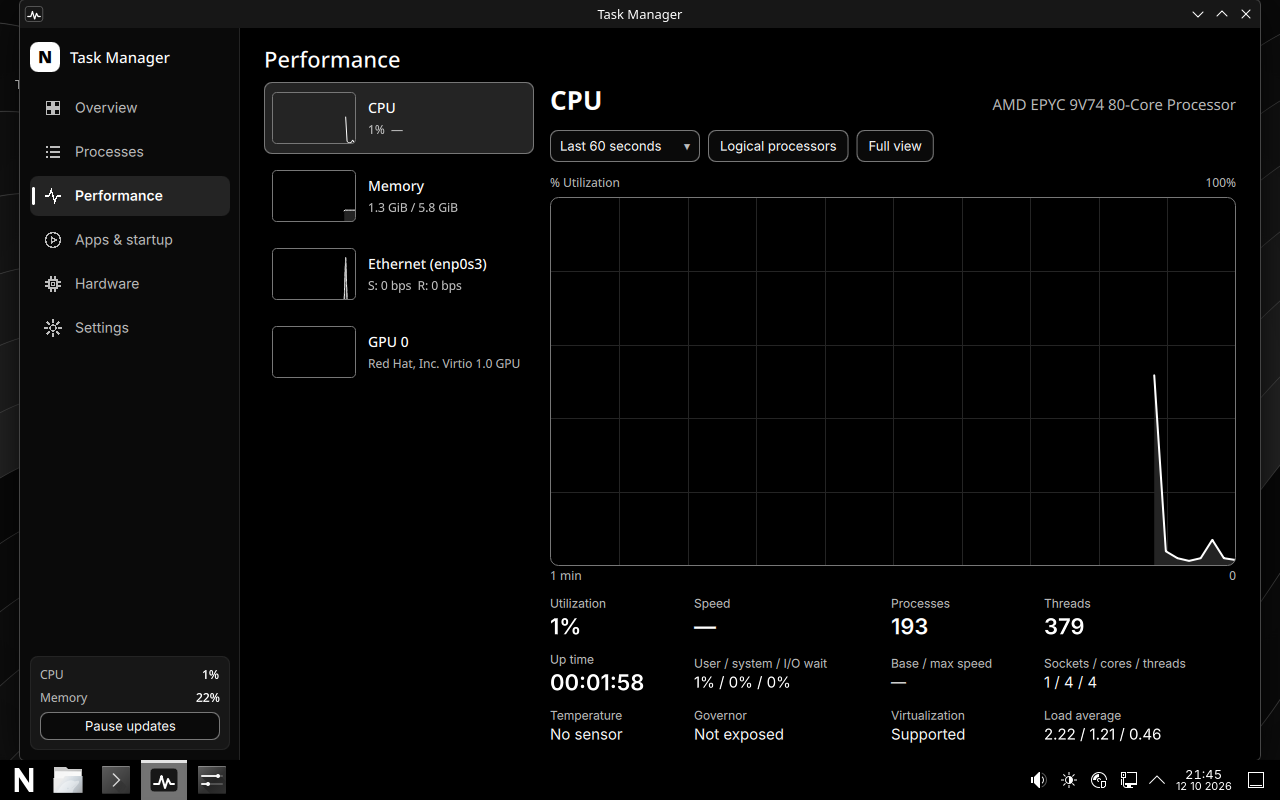
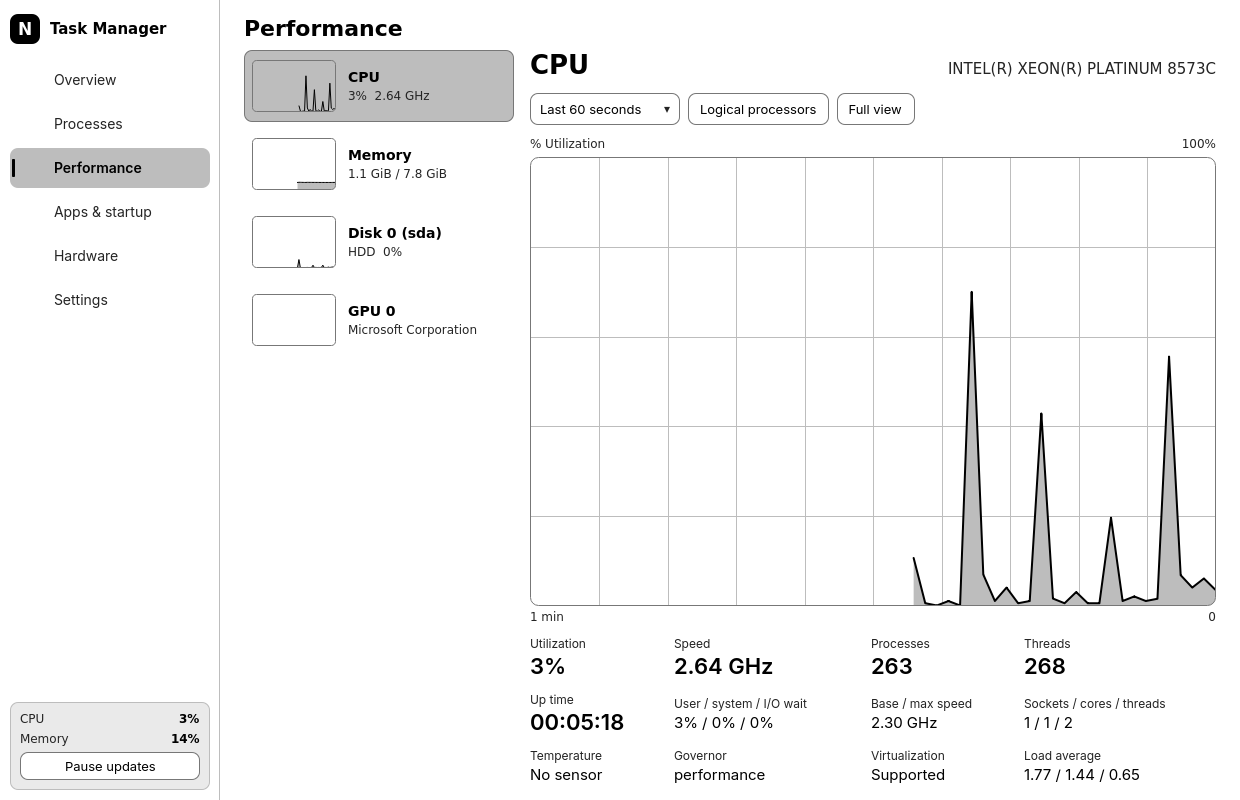
CPU and per-core load, memory with cache and swap, disks, network, GPU, temperatures, battery, uptime, load and process counts, with history graphs.
Processes
Grouped, tree or flat views. Search by name, PID, user or command. Sortable, resizable, optional columns. Full keyboard control.
Safe actions
End, force end, pause, resume and change priority. Essential processes are protected with a clear explanation. Other users' processes need your admin password.
Performance
Large graphs for CPU, memory, each disk, network adapter, GPU and battery, with 1 minute to 1 hour of history and a full-view mode.
Apps & startup
See running apps with all their processes, and choose what starts when you sign in. Turning off a startup app never touches system files.
Hardware
Processor, caches, memory, disks and free space, network adapters, GPUs and drivers, battery health and sensors. No serial numbers or MAC addresses.
GPU load: AMD and NVIDIA (proprietary driver) are supported. Intel GPUs don't report load without extra permissions, and Task Manager says so instead of guessing.
NEXUS Ring
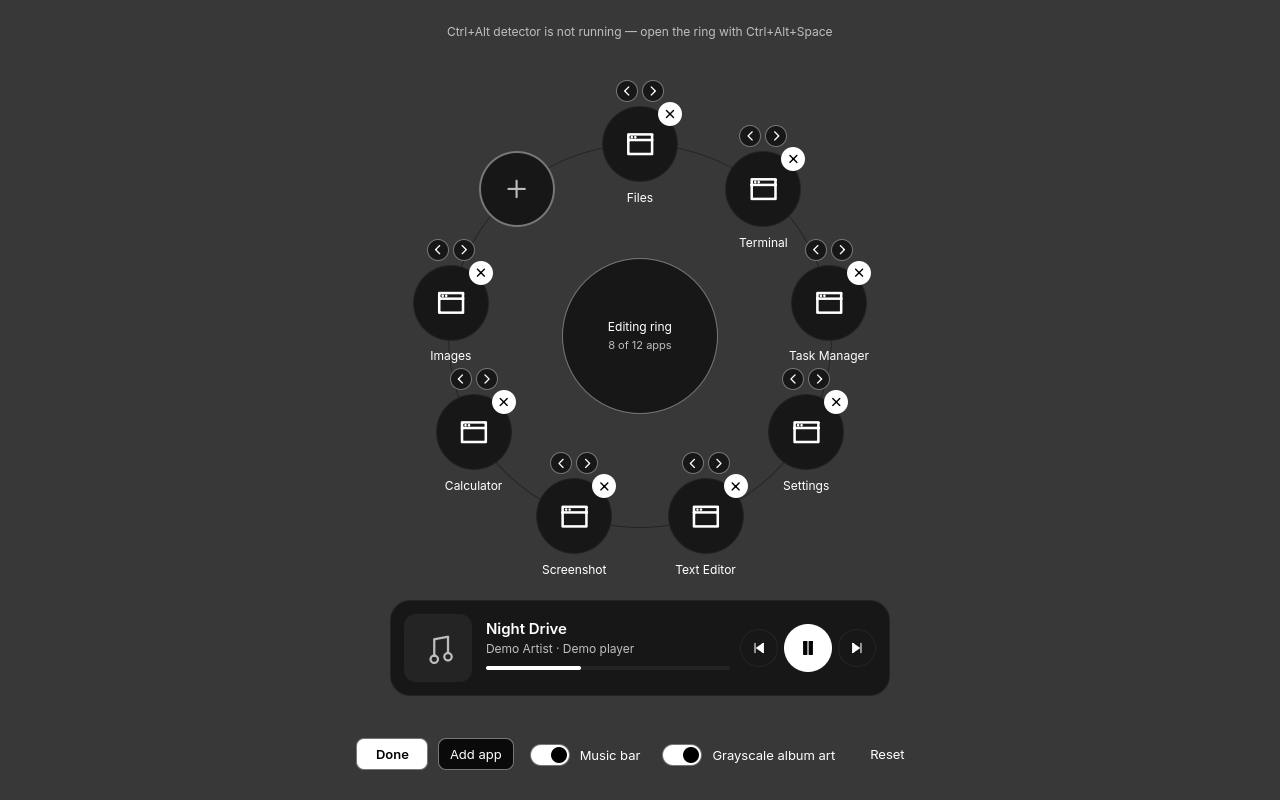
Hold Ctrl+Alt by itself for a quarter of a second. Point at an app and release to open it. Release without pointing and the ring stays open so you can click or use the music bar. Esc closes it.
- Up to 12 apps, chosen from everything installed
- Music bar: title, artist, artwork, previous / play / next, seek
- Arrow keys, Enter, number keys and Space for play/pause
- Opens with Ctrl+Alt+Space too
Wayland stops apps from watching keys in other windows. A small sandboxed service detects the hold and only ever reports "show" and "release". It never records other keys.
NEXUS Shield
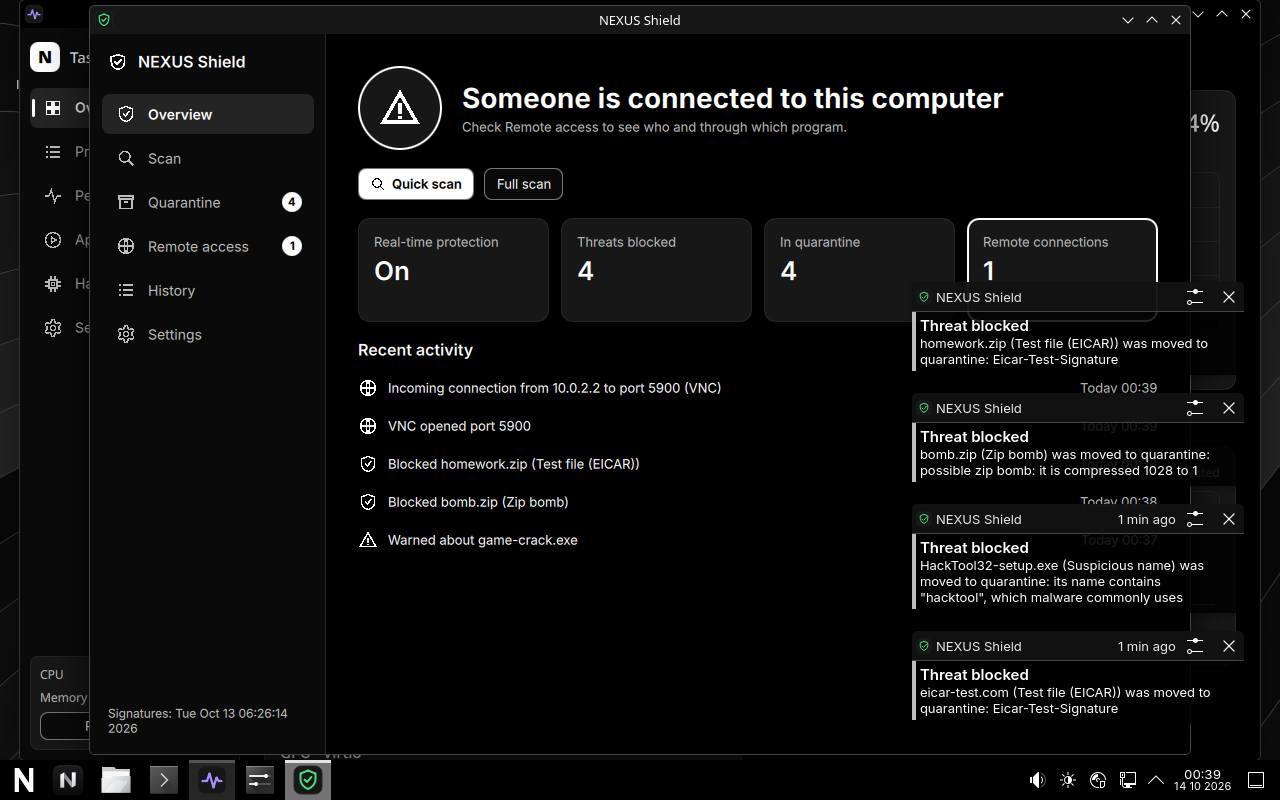
Antivirus and download protection, on from the first boot. When something is blocked, a notification tells you what and why, and the file goes to quarantine where you can restore or delete it.
- Viruses: ClamAV checks every new file in Downloads and Desktop, and blocks opening infected files in Downloads, Desktop and Documents
- Suspicious names: files named like trojan, hack tool, keylogger, ransomware, stealer or miner are quarantined; crack, keygen and cheat get a warning
- Zip bombs: archives are checked before you open them. Anything that unpacks to more than 16 GB, packs too tightly or nests archives too deep is blocked
- Remote connections: warns when another computer connects to yours, or a remote-control app like AnyDesk or TeamViewer is running
- New software: packages are scanned right after they're installed
- Virus signatures update automatically, and are already included in the download
No antivirus catches everything. Shield adds a layer of protection; it doesn't replace care about what you run. Scanning happens on your computer and nothing is uploaded.
Performance
CachyOS kernel
linux-cachyos with the BORE scheduler, plus CachyOS's measured system settings (zram, I/O schedulers), installed as packages so updates keep them current.
Lean by default
Wayland session, no splash screen, apps that sample less when minimized, and graph history in fixed-size buffers so memory doesn't grow.
Power profiles
Balanced, Performance and Power Saving through power-profiles-daemon. Only options your hardware supports are shown.
Security and privacy
- No telemetry, analytics, accounts or hidden network connections
- Package signature checks always on, for Arch and CachyOS repositories
- Admin actions go through polkit and ask for your password; the desktop never runs as root
- Task Manager's admin helper accepts numbers only, never shell text, and can't target a recycled process ID
- The Ctrl+Alt detector runs as a throw-away user with no network, no files and no privileges
- NEXUS Shield scans downloads, blocks infected files and zip bombs, and alerts you to remote connections
Not in this preview yet
Being honest about what's missing matters more than a long feature list.
- NEXUS Settings, Painter, software store and update manager. Plasma's System Settings works meanwhile.
- Secure Boot signing. Secure Boot must be off for NEXUS to start.
- Disk encryption during install. The installer doesn't set up an encrypted NEXUS partition yet.
- Real-hardware testing. So far tested in virtual machines.